Animal Management
Animal List
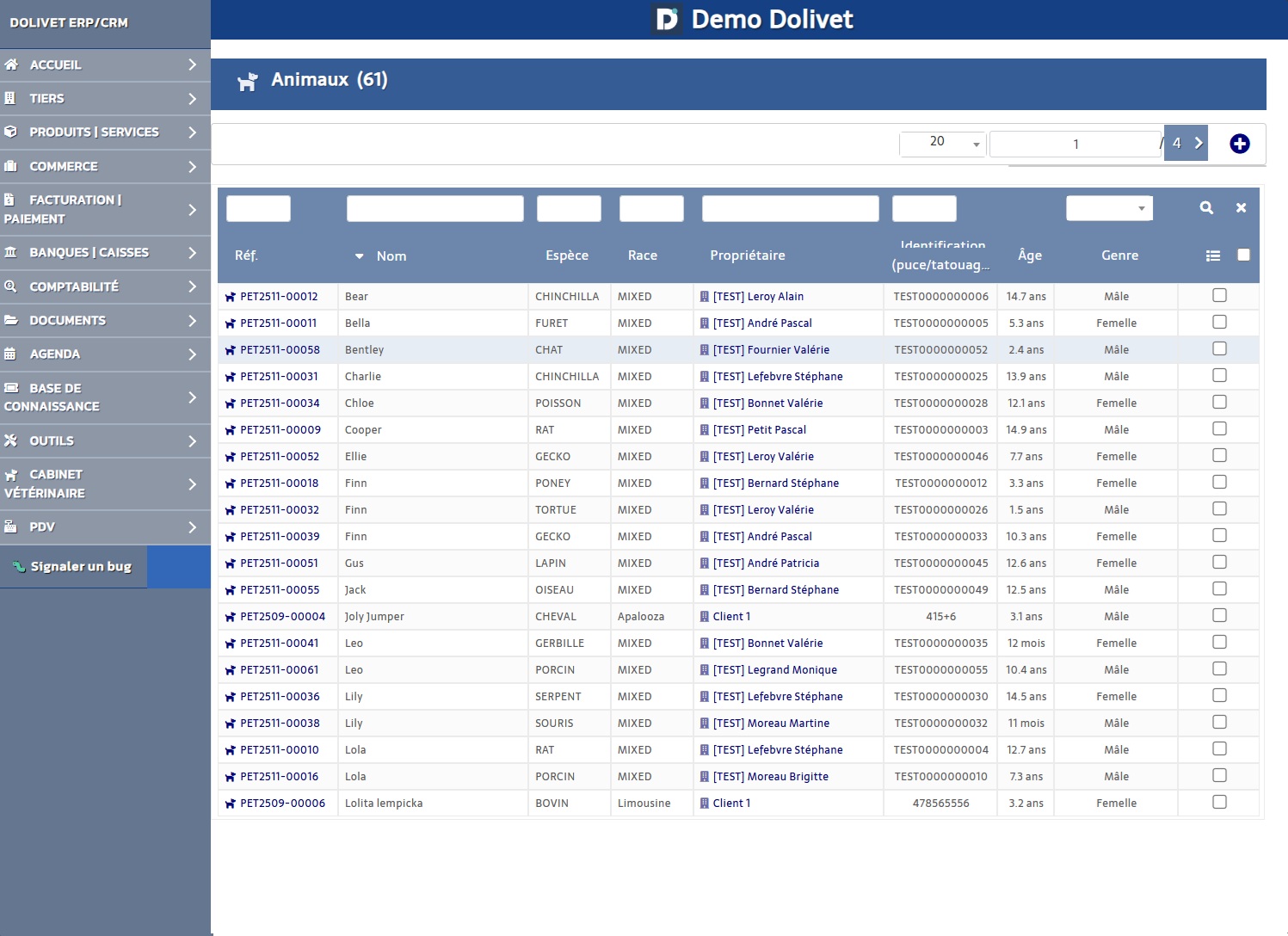
The list displays all registered animals with their main information.
Available Filters
- By animal name
- By species/breed
- By owner
- By vital status (Alive/Deceased)
- By category
Actions
- Create a new animal
- Export list (CSV/Excel)
- Sort by column
Create an Animal
Required Information
- Animal name
- Species (select from list)
- Primary owner
Optional Information
- Breed
- Sex (Male/Female/Unknown)
- Date of birth
- Color/Coat
- Microchip number
- Tattoo number
- Current weight
- Photo
Animal Card
The animal card is organized in 17 tabs
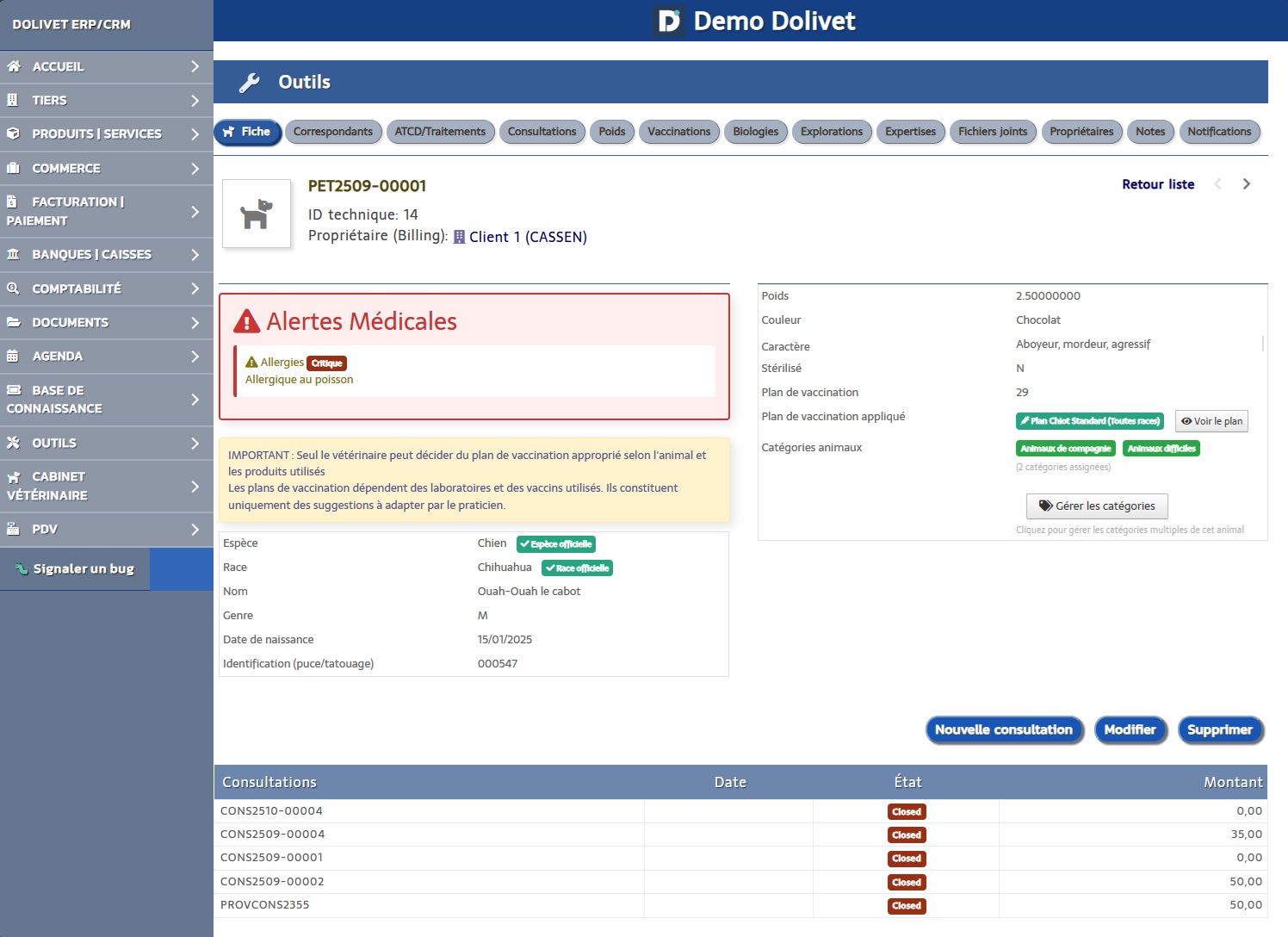
Main animal information: identity, identification, physical characteristics, photo, vital status.
Medical contacts: referring veterinarians, specialists, laboratories.
Medical history and ongoing treatments: past illnesses, surgeries, chronic treatments.
Complete consultation history with quick access to each record.
Weighing history with weight evolution chart.
Management of administered and scheduled vaccinations, applied vaccination plan.
Laboratory tests: blood tests, bacteriology, parasitology.
Medical imaging: X-rays, ultrasounds, CT scans, MRI.
Veterinary expertise reports performed.
History of past and current hospitalizations.
Surgical interventions and technical procedures performed on the animal.
Files linked to the animal: reports, test results, certificates, photos.
Multi-owner management with primary owner definition.
Free notes for observations and comments.
Reminder subscription settings for the owner.
Multi-Owners
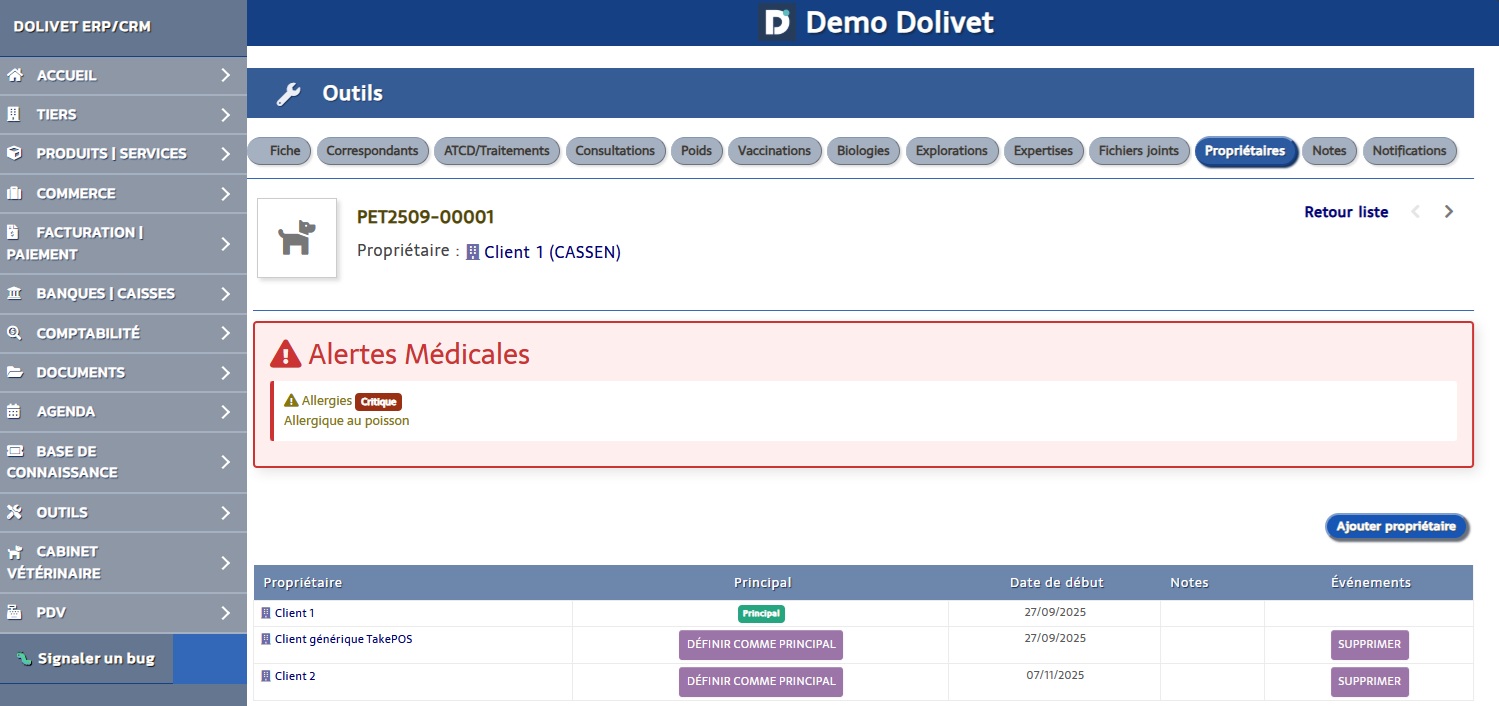
Vetilog allows associating multiple owners to the same animal.
Use Cases
- Separated couple sharing custody of an animal
- Animal belonging to multiple family members
- Breeding facility with multiple managers
Primary Owner
Only one owner is "primary". They receive invoices by default.
Tip:
Go to the animal record → "Owners" tab → Click "Add an owner" → Check "Primary" to set as primary owner.
Vital Status
Since version 1.8.0, you can mark an animal as deceased.
- Open the animal record
- In the "General" tab, click "Edit"
- Check "Deceased animal"
- Enter the date of death
- Save