Vaccination System
Vaccination Dashboard
The dashboard displays vaccinations to be performed, statistics and alerts.
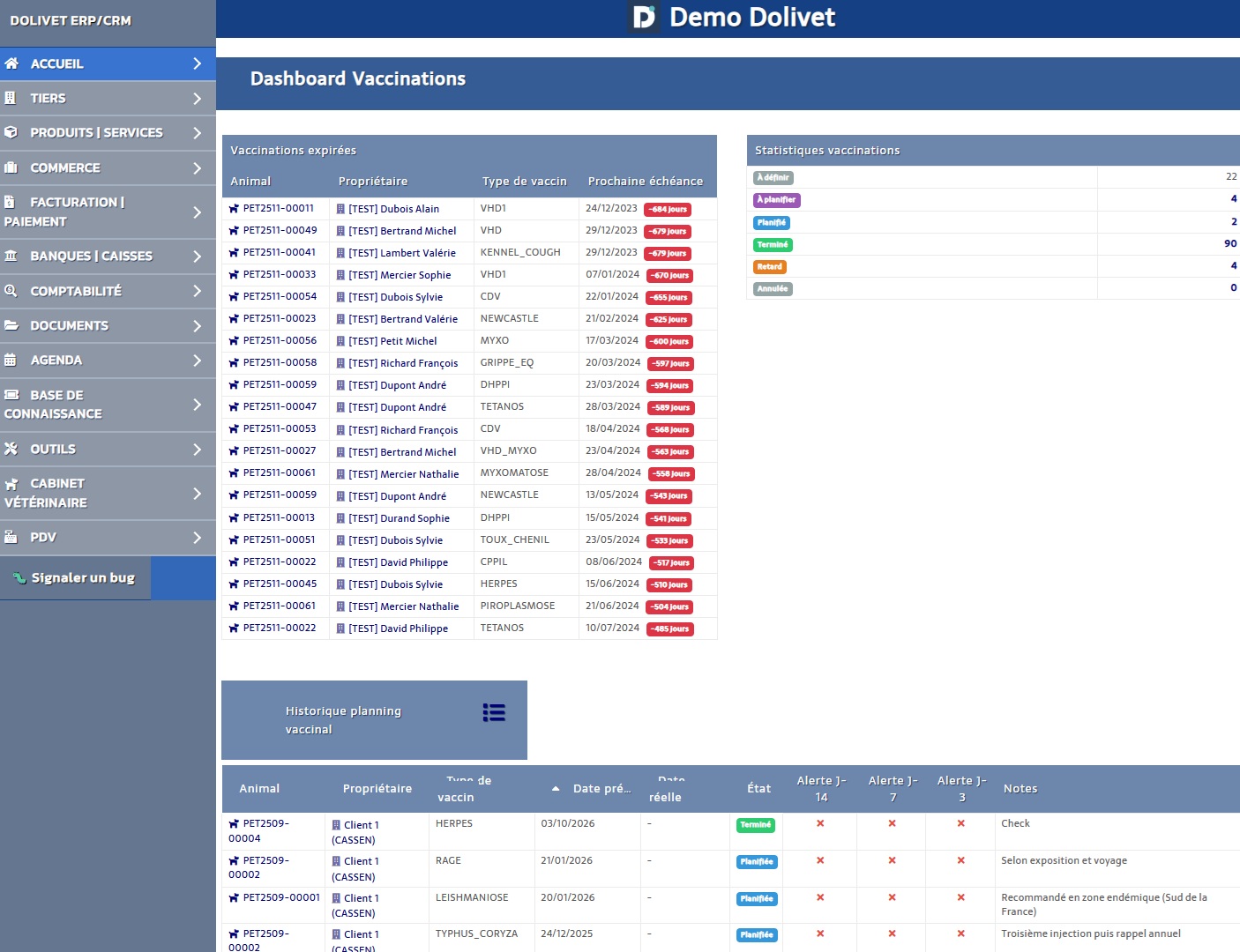
- Vaccinations due (D-14, D-7, D-3)
- Vaccinations completed this month
- Statistics by species
- Alerts pending sending
Vaccination Plans
A vaccination plan automatically defines vaccines to administer by species and breed.
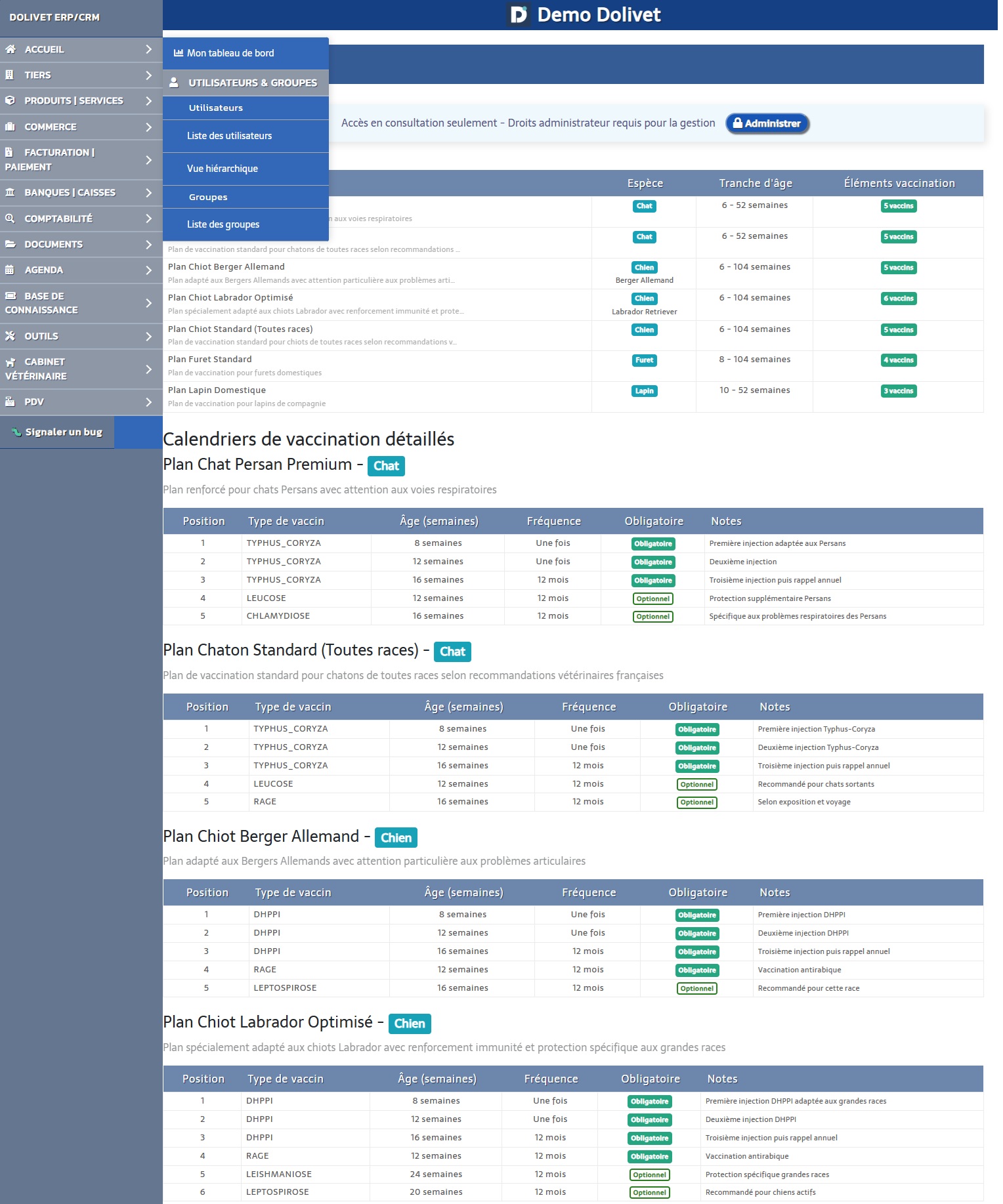
Create a Plan
- Click on "New Plan"
- Select the species (and optionally the breed)
- Give the plan a name
- Add vaccination items:
- Vaccine type
- Age of first administration
- Booster interval (in days)
Apply a Plan
- Open an animal record
- "Vaccinations" tab
- Click on "Apply a plan"
- Select the appropriate plan
- The vaccination schedule is automatically created
Record a Vaccination
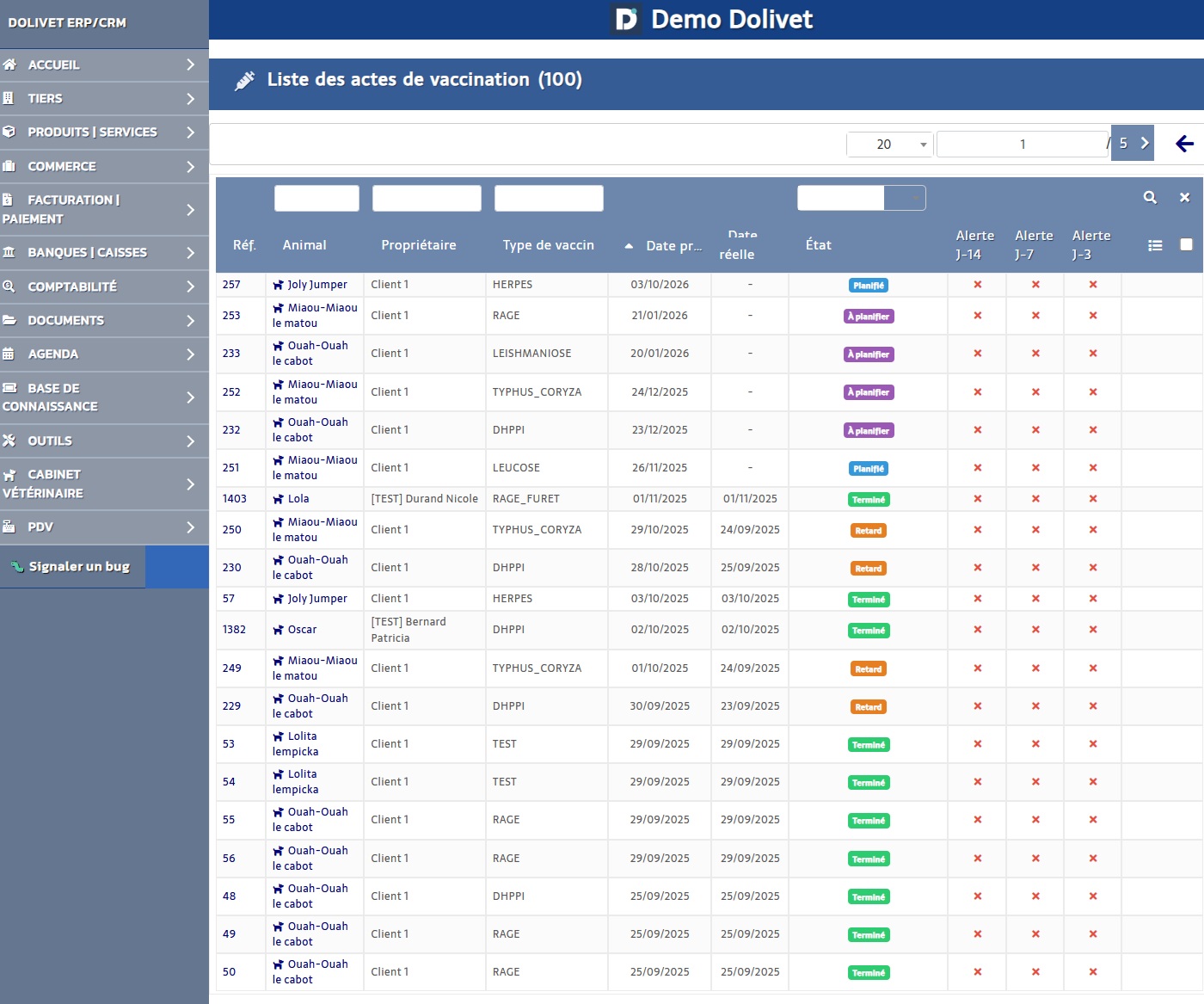
- Animal record → "Vaccinations" tab
- Click on "Add vaccination"
- Fill in:
- Vaccine type
- Administration date
- Batch number (optional)
- Veterinarian
- Notes
- Save
Automatic Alerts
Vetilog automatically sends email reminders to owners.
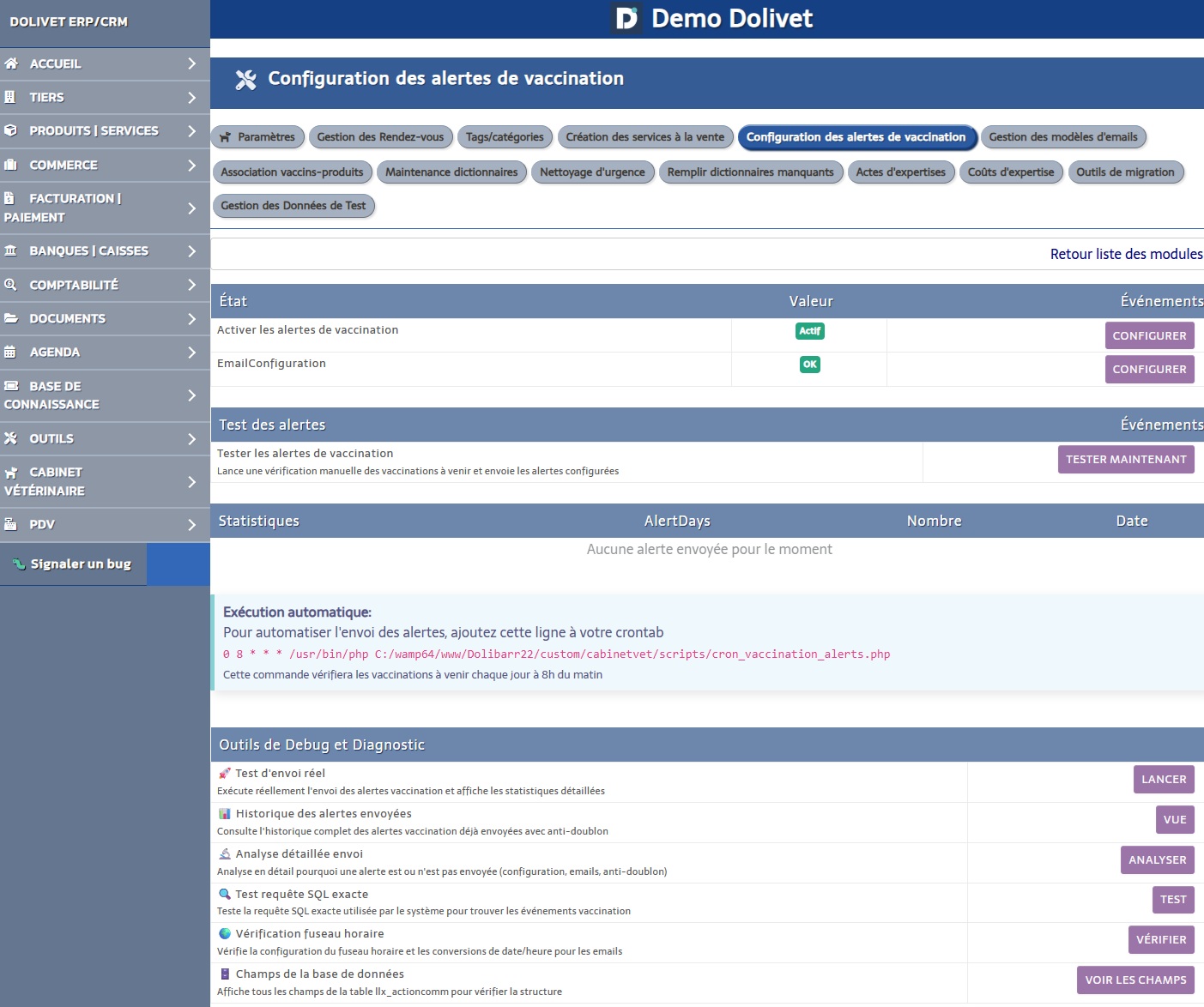
| Alert | Timing | Message |
|---|---|---|
| J-14 | 14 days before | "Vaccination scheduled in 14 days" |
| J-7 | 7 days before | "Vaccination scheduled in 7 days - Please confirm your attendance" |
| J-3 | 3 days before | "URGENT - Vaccination in 3 days" |
Important:
Alerts must be enabled by the administrator in the module configuration.
Vaccine-Product Association
For automatic billing, associate each vaccine type with an ERP product/service.
- Access: CabinetVet → Vaccinations → Vaccine Products
- Select the vaccine type
- Associate the corresponding ERP product
- The price will be automatically applied during billing